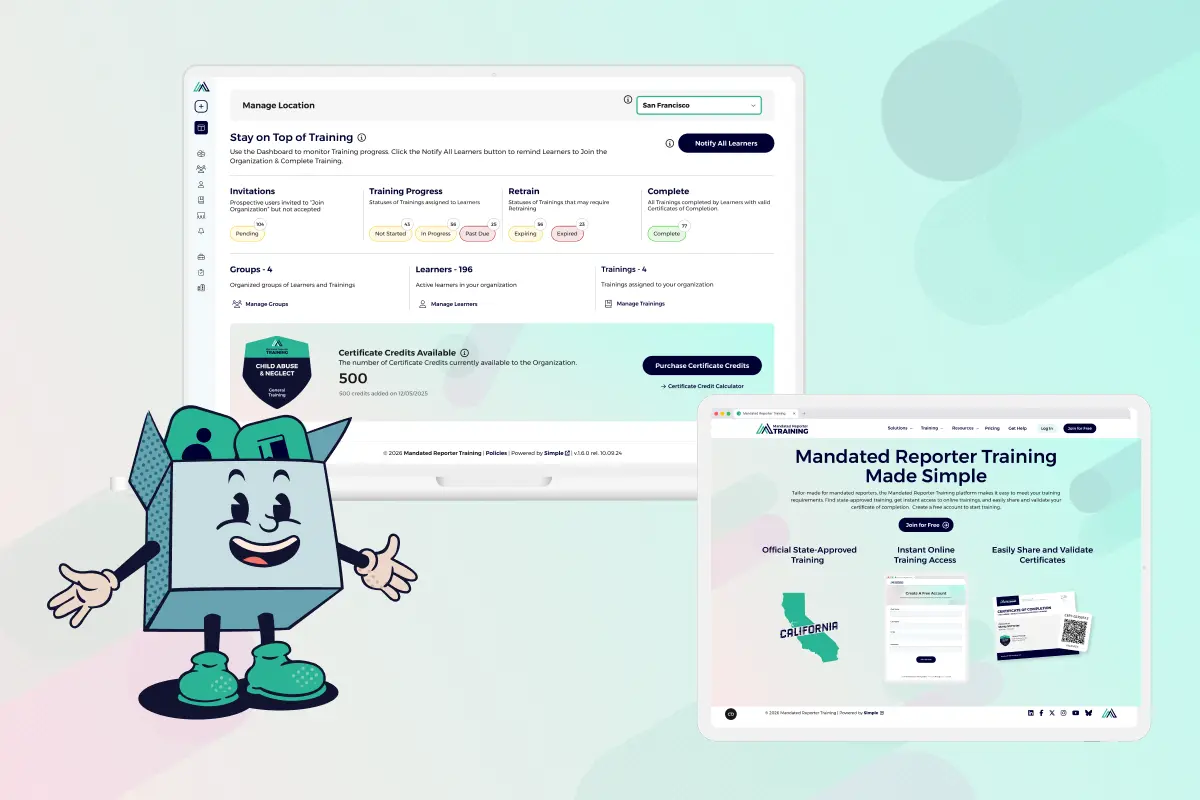
The new Mandated Reporter Training platform is live.
The Mandated Reporter Training platform makes it easier than ever to meet training requirements, find state-approved training, instantly access online training, and share and verify certificates of completion.
Find out how the updated platform has been redesigned and explore new features that make training simple.
New Streamlined Organization Accounts
Organizations trust the Mandated Reporter Training platform to provide state-approved trainings for their employees, supervisors, and volunteers. Now, new streamlined organization accounts make training & managing teams as easy as 1, 2, 3.
Log in to explore new features designed for organization admins, including the Group Builder, a robust Notification Engine, and a new dashboard designed to help you monitor and manage your team.
Here’s how that works for organization administrators:
1. Create a Group
The new Group Builder walks you through a simple, step-by-step process to creating your first Group:
- Name Group
- Add Learners
- Add Trainings
Once you have created your group, you can add, remove, and manage Trainings or Learners on the “Groups” page.
What is a Group?
Groups Organize Learners & Trainings
Groups are teams of people within an organization that require the same training. With the new Group Builder, it’s easy to organize Learners and Trainings into Groups. Adding Learners to a Group and assigning them Trainings automatically assigns the appropriate Trainings for the Learner on their dashboard. Groups eliminate the need for Learners to select Trainings themselves, and let you monitor and manage their progress.
2. Notify Learners
Once you have created your group, you can send a notification to your Learners that they have Training to complete. You can instantly notify Learners or schedule a notification to send later.
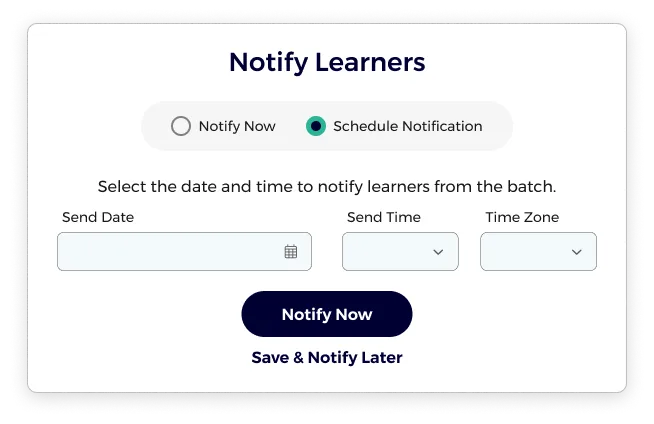
How do I schedule notifications to send later?
Now you can schedule Group Notifications to go out any time that’s convenient for you and your team. Simply select the date and time you would like the notification sent.
Best Practice:
Use Scheduling when setting up an organization with multiple Groups to control when Learners are invited to train.
3. Monitor & Manage Your Team
Use the new dashboard to monitor training progress. When you log in to your organization account, you’ll see a Notify All Learners button. Now, you can remind Learners to take action that moves them closer to completing their training with a single button click.
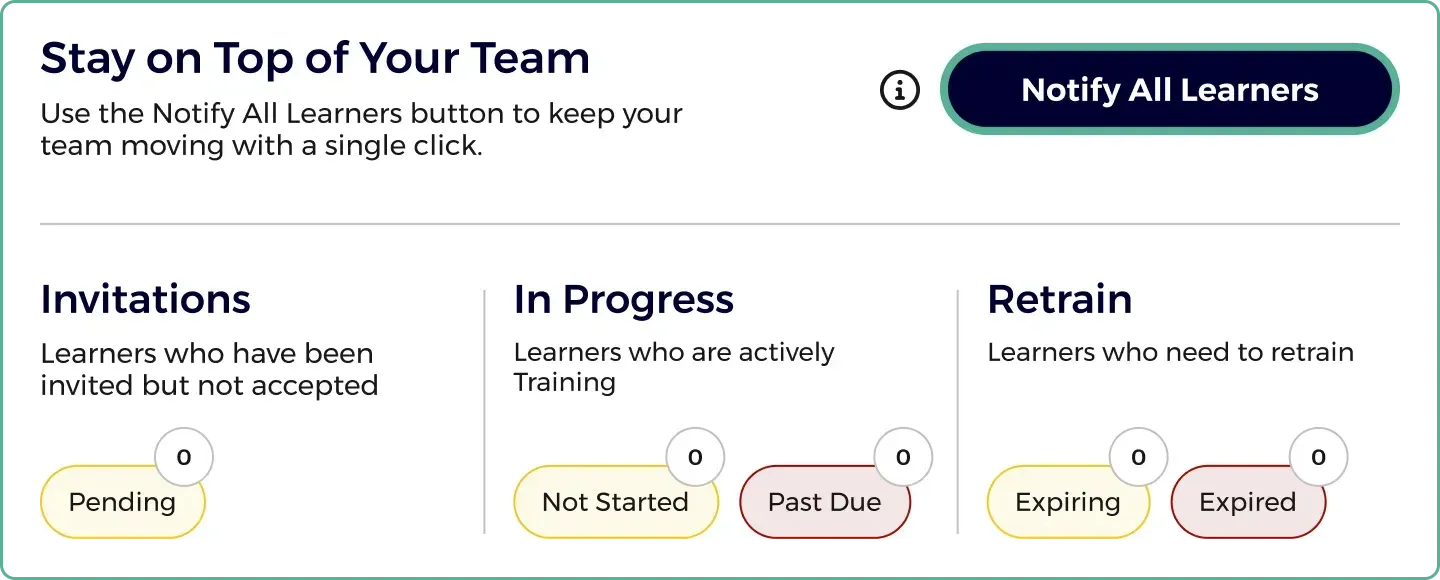
What is the “Notify All Learners” button?
Save hours of management time by sending a personalized notification to all Learners with one click of a button. Clicking the “Notify All Learners” button automatically sends out notifications to all Learners with outstanding tasks, such as:
- Join Org invitations that are still pending
- Trainings that have a status of Not Started or In Progress
- Trainings that have a Past Due status
How do I monitor my team’s training progress?
You can find an instant overview of your team’s progress on your dashboard. It shows the status of your learners, including:
- Invitations: The number of Learners with pending invitations that need to be accepted.
- In Progress: The number of Learners who are actively Training, including how many have courses that they have not started or that are past due.
- Retrain: How many Learners have a certificate that is either expiring soon or has already expired and need to retake their training.
Get Started With Certificate Credits
Ready to experience the new Mandated Reporter Training Platform? All you need to issue your first certificates are certificate credits.
When a learner completes their training, a certificate of completion is issued in exchange for certificate credits.
Discounts on certificate credits are available with Annual Plans, so subscribe and save on your training program.
Implement your training program in just minutes. Log in to get started.